Comfort Birds

I have been thinking about carving for quite a long while, with most of my attention focused more on relief carving. The idea being that I could put relief style carvings into the lids of the boxes I make. I was recently intrigued by a carving kit I saw on Amazon, and doing a little research found that there is an idea of “Comfort Birds”. There is an article that describes a gentleman thats been creating and providing them to folks that are grieving or experiencing some loss or other hardship. I was struck by this statement “For many, the small birds serve as tangible reminders that someone loves and cares about them.“. What a terrific idea to help someone in need!
While I do not own a bandsaw; I do own lots of saws, chisels, knives and rifflers 🙂 .
I ordered the kit and began whittling away.
Once that first angle is completed, its time to apply the top down pattern.
Once the glue dries, you can begin removing the waste from either side of the bird.
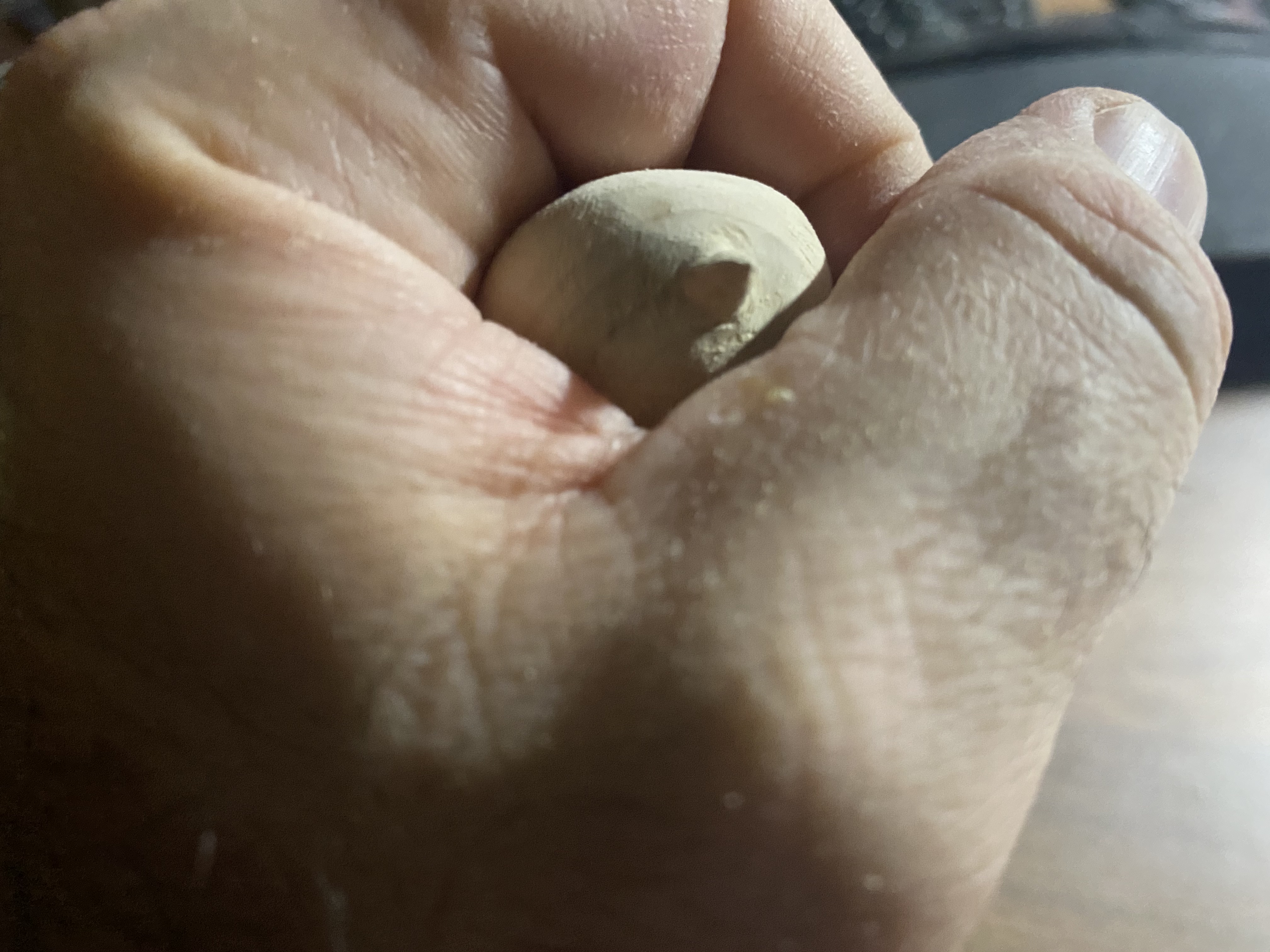
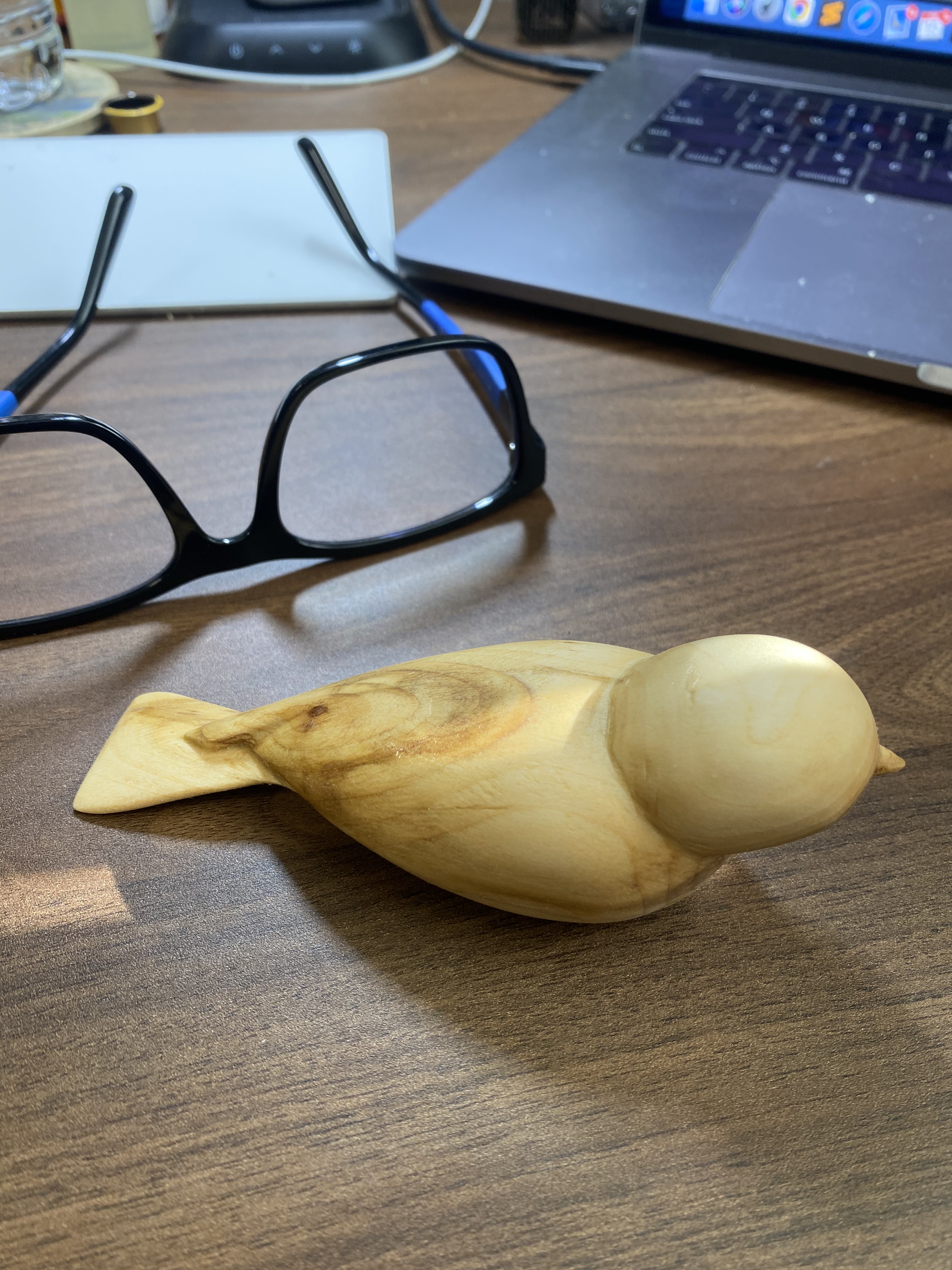
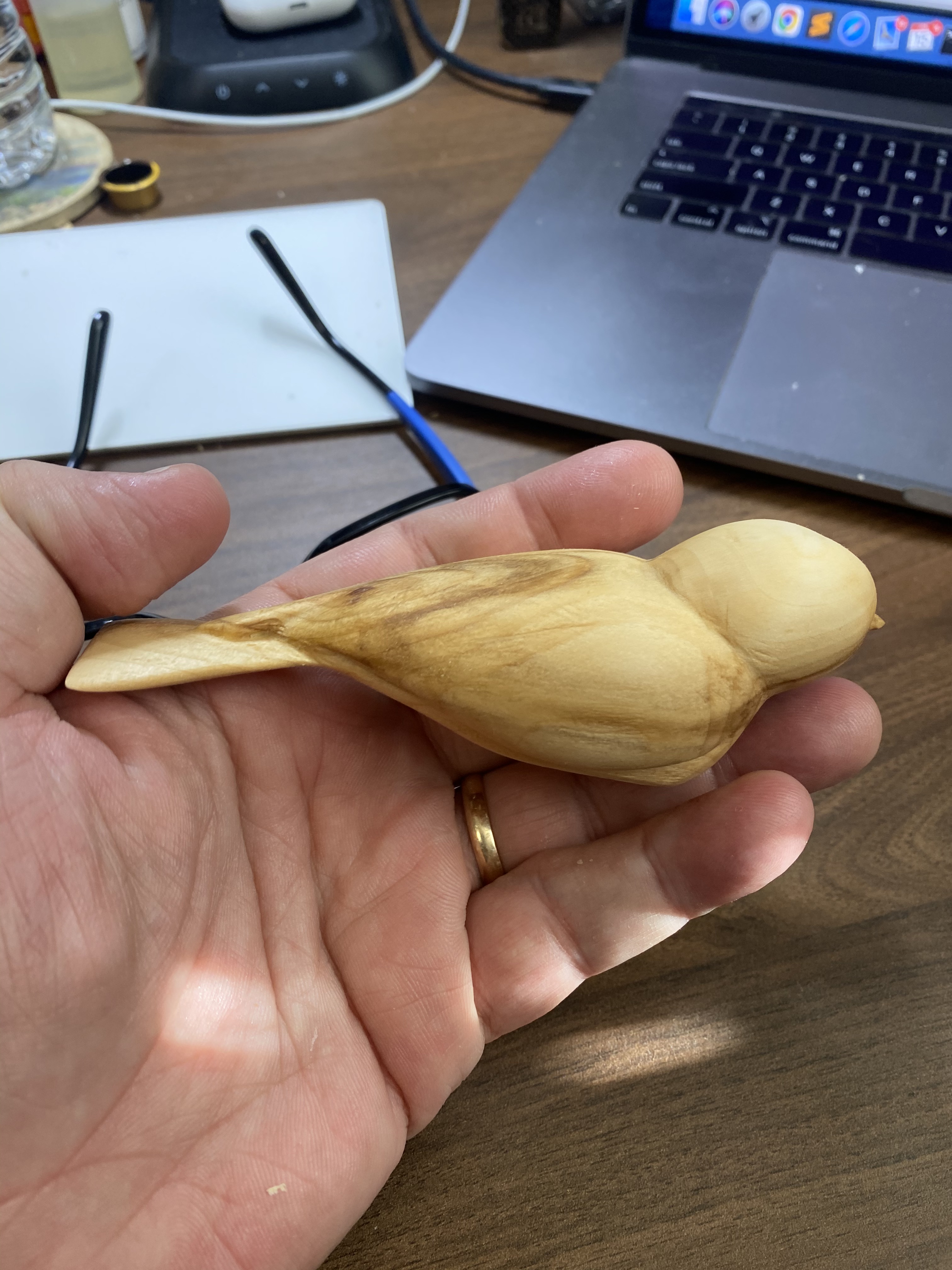
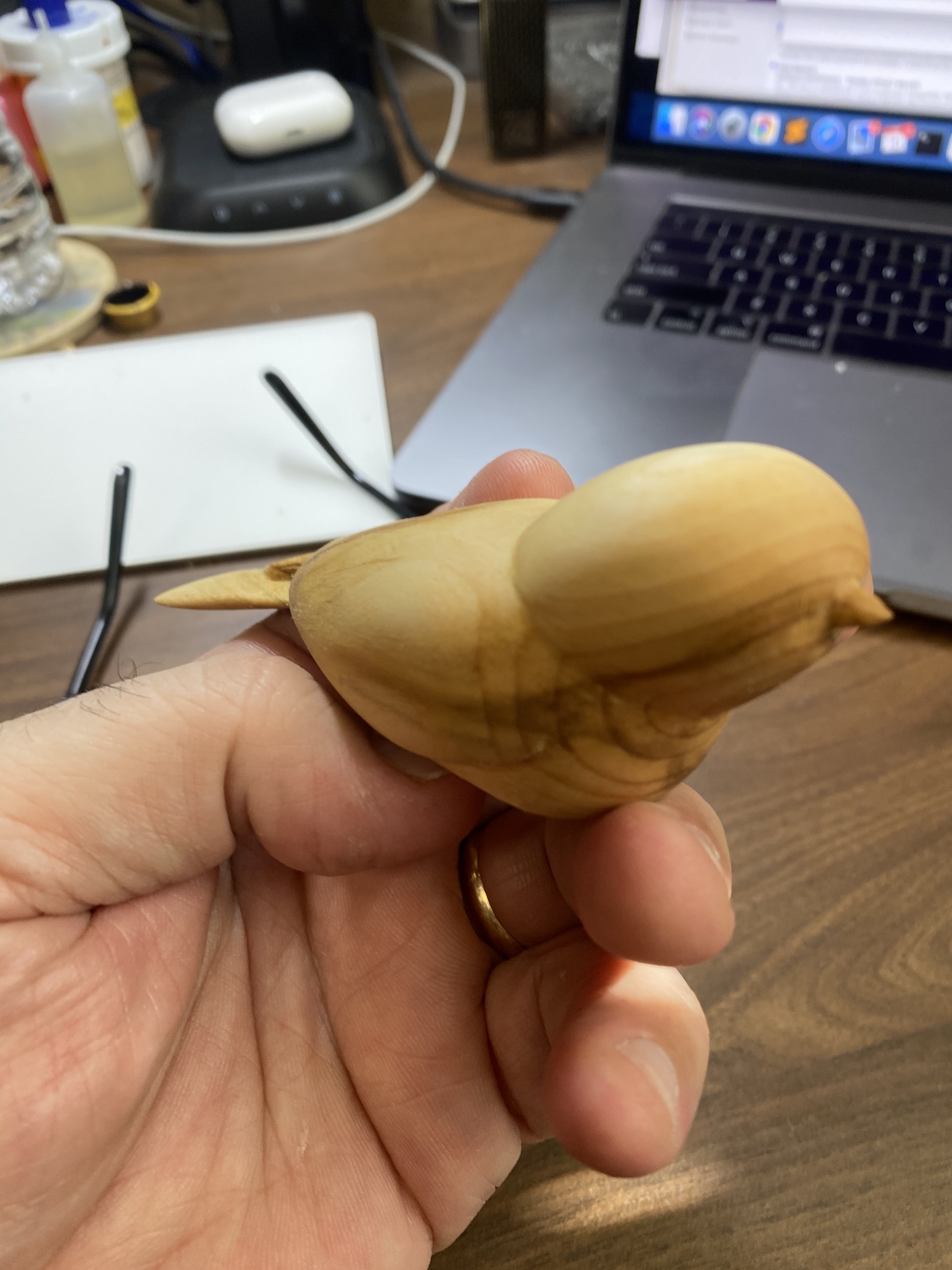
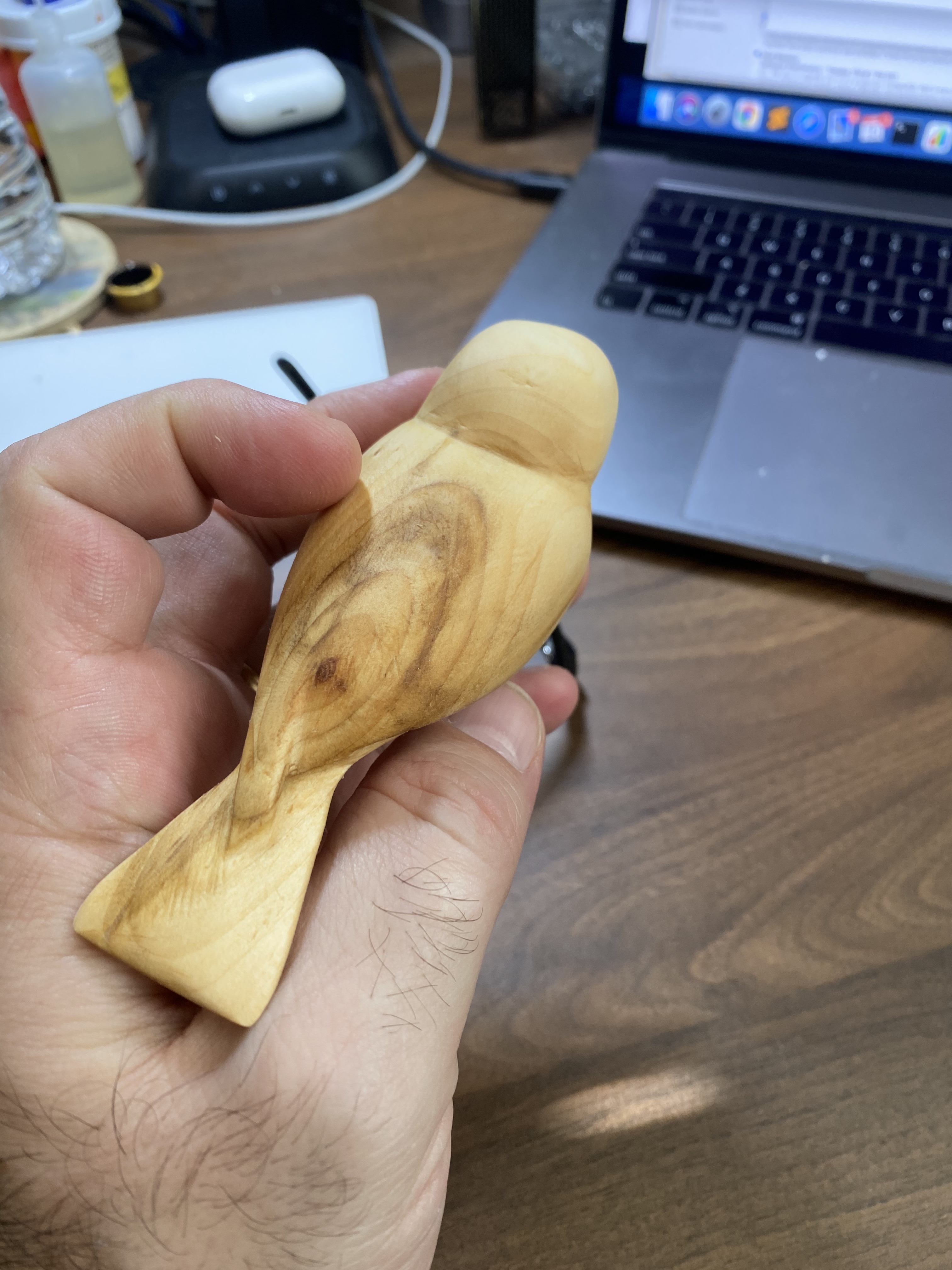
And of course, it does no good to carve a comfort bird and not use it to comfort somebody in need. We gave this one to my mother-in-law. I believe it helped brighten her day, and at the very least let her know we care and are there to help her however we are able.

References:
Comfort Birds, Frank Foust – article by Kathleen Ryan: http://woodcarvingillustrated.com/wp-content/uploads/2014/09/Comfort_Birds_164328917.pdf
Comfort Bird Kit, From Beavercraft: https://www.amazon.com/BeaverCraft-Complete-Starter-Whittling-Beginners/dp/B07XY6KTVS/ref=pd_ybh_a_17?_encoding=UTF8&psc=1&refRID=CK1514WAXMDA83KYG1NN
What is a “riffler”?: http://woodcarvingillustrated.com/blog/2017/10/30/all-about-files-rasps-and-rifflers/
His and Hers
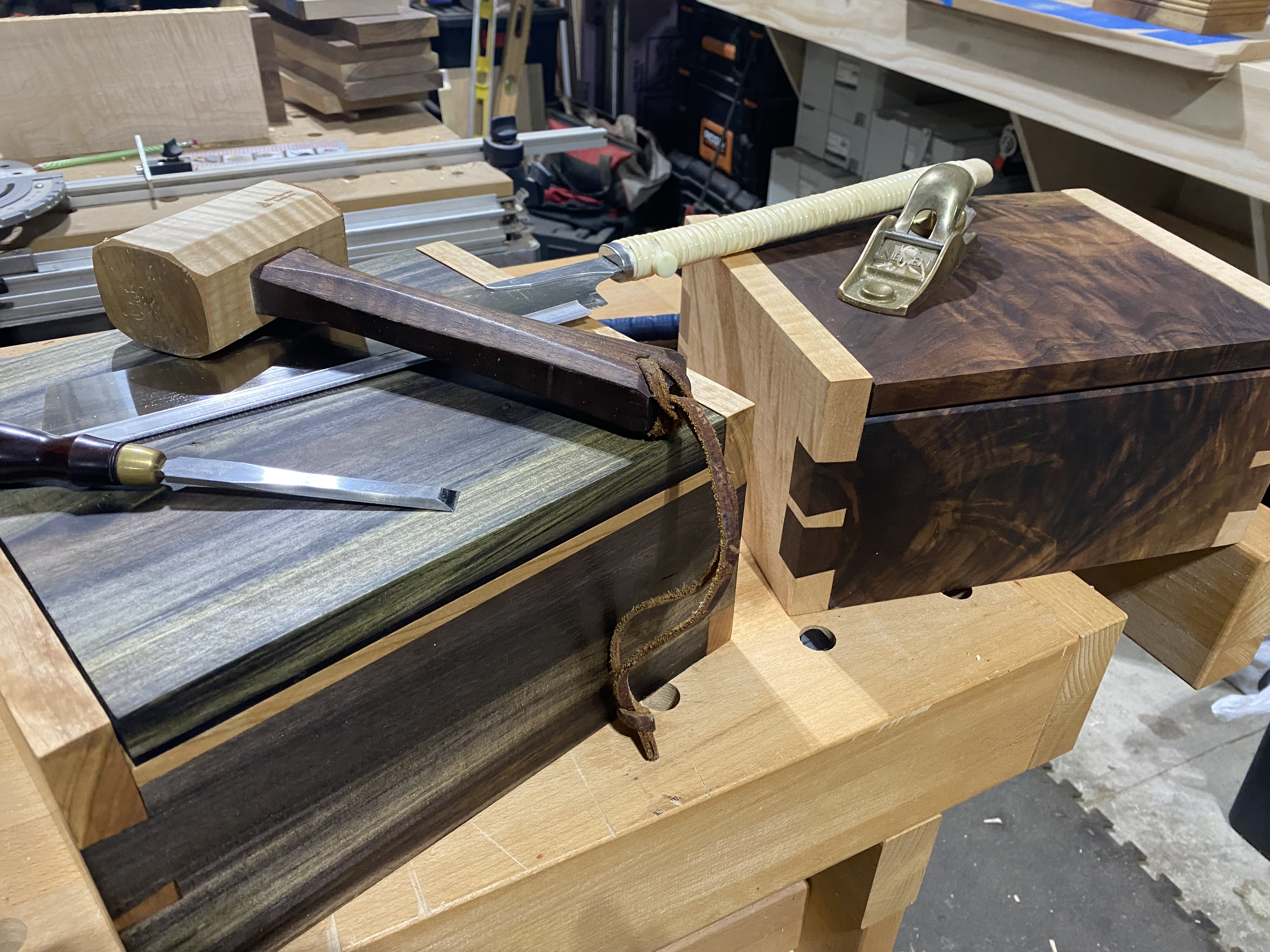
A box for me
Made myself a Bible box, shown below with a nice hand carved comfort bird :-). Made from Figured Cherry and Blue Mahoe, and a little bit of Ebony to accent it.




A box for her
And a nice little box with a tray for Kim to stash her fashion jewelry and knick-knacks, also showing the replacement to the organization board 🙂 – Made using figured Maple, and some highly figured Crotch Walnut.





State Farm customers, Check your six
UNLike a good neighbor….
My wife and I have been long time customers with State Farm for our home insurance. We’ve only ever filed one claim in almost 20 years, due to the storms that hit the Ohio valley and the subsequent hail damage to our roof.
When we purchased our new house in 2021, we decided to keep our previous home as a rental dwelling. With our experience with State Farm not being bad (wasn’t like it was special or anything, it was just “ok”); we decided to stick with them for the new home insurance, as well as our previous home.
Speaking with our Miamisburg, Ohio based agent; the rep provided us a quote; but noted that if we switched our car insurance over as well, we’d see the largest savings. She also advised that we would need to have a “rental dwelling” policy for our Springboro house (the “Teakwood House” as I like to call it).
With the auto, home and rental dwelling under a single umbrella; our savings came to about $450/yr. This sounded great, but I asked the representative regarding flooding, pipes bursting, etc as in 2020 we had just such an issue with the Teakwood property. She affirmed that we would be covered.
Fast forward a year, and we have paid StateFarm over five thousand dollars between the two properties and the autos (also keeping in mind that we had paid them roughly two thousand a year for the sixteen years prior). We recently encountered a sewage backup. State Farm, being “a good neighbor” was one of our first calls.
Immediately we ran into trouble. StateFarm said that we did not have “A Sewage Backup” “rider” and so they would not be able to cover the damages. Further discussion with the office manager for the agent highlighted that not only were we not covered; State Farm does not provide sewage backup for homes or for rentals.
Calling out the cleanup crew and the plumber to fix the sewer issue and sanitize everything has already cost over five thousand dollars. This does not include the drywall, carpeting, painting that will also be needed to put the basement back to proper livable condition.
My experience with the office manager was pleasant but unhelpful. My experience with the claims representative was less pleasant and quite a bit more frustrating. They insisted that I call the plumber to get details that they themselves should be calling the plumber for. The claims adjuster was initially a bit sour as I was not available for his schedule, but was pleasant for the review of the damage and subsequent phone call; tho he also referred to the lack of a “rider” and notified me that State Farm has denied the claim due to “lack of coverage for sewage backups”.
This kind of makes me think; well if you don’t offer it; how am I supposed to have coverage? When a customer asks a representative whether they have full coverage, my perspective is that the question of “full coverage” that they are asking for means literally “full and complete coverage”. Additionally, why does each person I speak with at State Farm say “you don’t have a rider” if it is not an option?
I’m not terribly surprised that an insurance company is behaving in such a way, but I definitely had a higher opinion of State Farm than perhaps I should have.
I guess the days of State Farm being a good neighbor are effectively over. Perhaps they should change their slogan to “We like screwing our neighbors… with a smile on our face, but not yours…”
Moral of the story is do not trust the State Farm agents. Even the nice ones will gloss over details so that State Farms’ liability is nominal. Do not trust State Farm for anything. If we had known that we would not be covered, we obviously would have never done business with State Farm.
Good-bye State Farm, you really suck.
For employees that work for State Farm or one of their agents; I would ask you how you could work for/with such a company? If more people stood up to the executives about how they treat their customers, how they treat their employees, and why executives are so over compensated; we would be in a much better world (not just with insurance companies of course).
Keep in mind that the CEO of State Farm Insurance made $20 million dollars in 2020. This is part of the sickness we continue to see in the US where corporate boards are enriching themselves, their stock holders and their leadership teams at the expense of the employee’s, consumers and customers that fund their greed.
We can do better as a society. Our companies can do better. It starts by standing up and saying “No, that’s not right” and taking our business elsewhere. We should all put capitalism to the test by weeding out those that continue to abuse our systems.
A little further research, and it seems we’re not the only ones that State Farm is denying. Must really make that CEO worth it.
StateFarm CEO Salary reference article: Link
Malt

Malt (or Marketing Analytics Link Tracker) was a tool I developed while working at Ubisoft. It allowed us to simplify the creation of Marketing campaigns, using many different channels. The Malt application tooling was built to enhance the idea of a singular Marketing tool, that would allow link generation and meta data alignment across the global organization. It integrated meta details into links that where then simplified with TinyURL and provided to brand marketing managers for distribution to international and domestic Ad partners. These links, when used in conjunction with event capture using Adobe Analytics. The backend of the integration pulled in the data from Adobe, cataloged and flattened in preparation for ETL (Vertica backend).



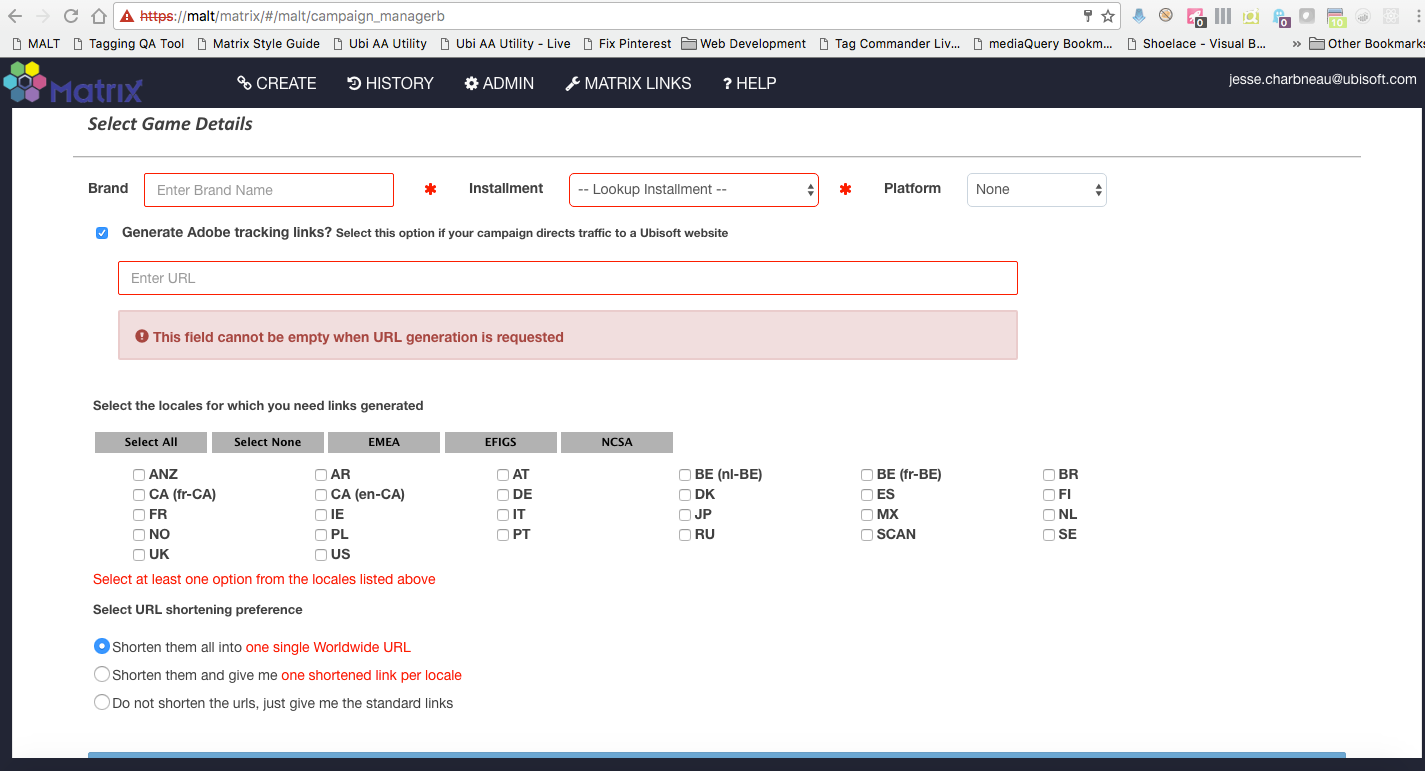
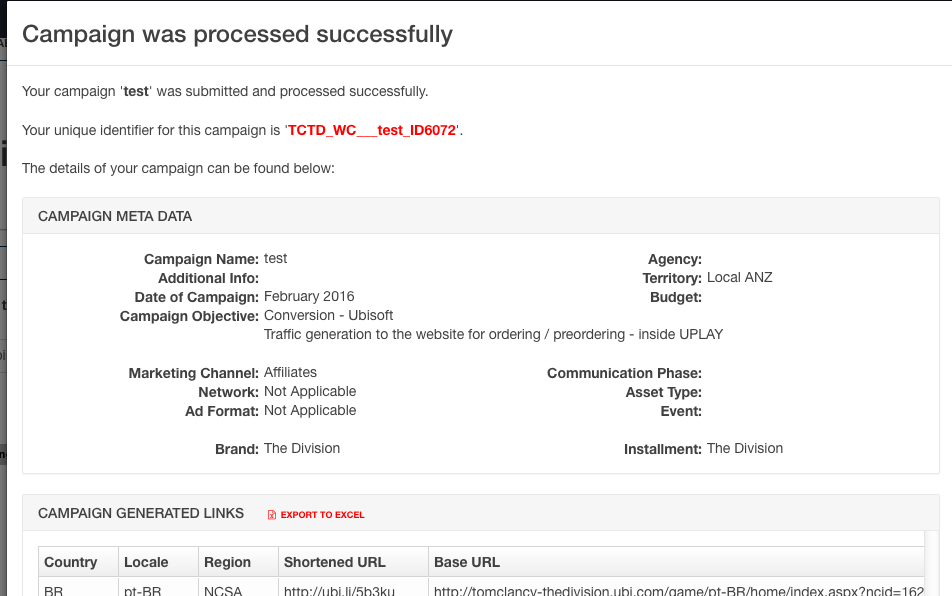
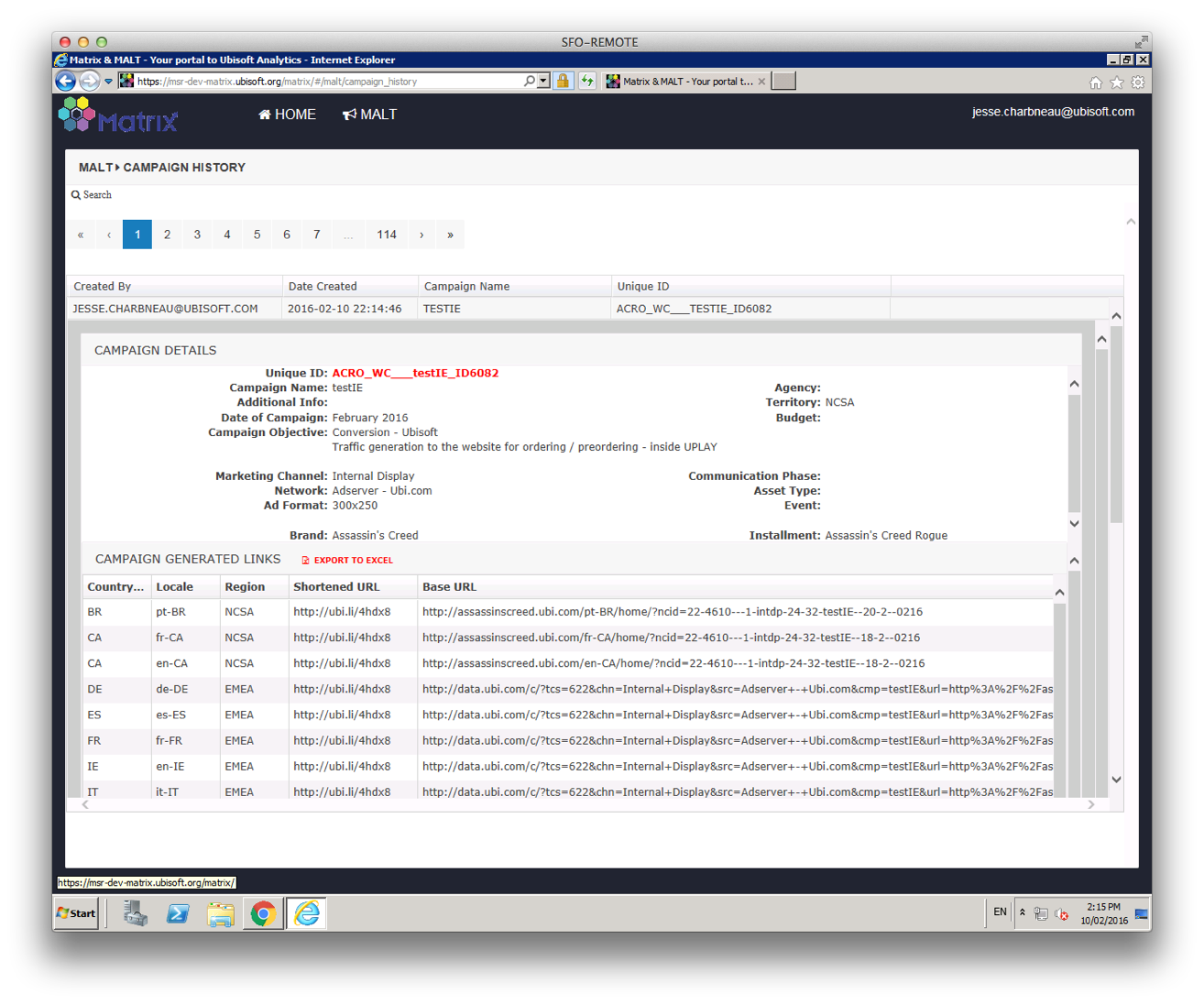
POC Malt layouts

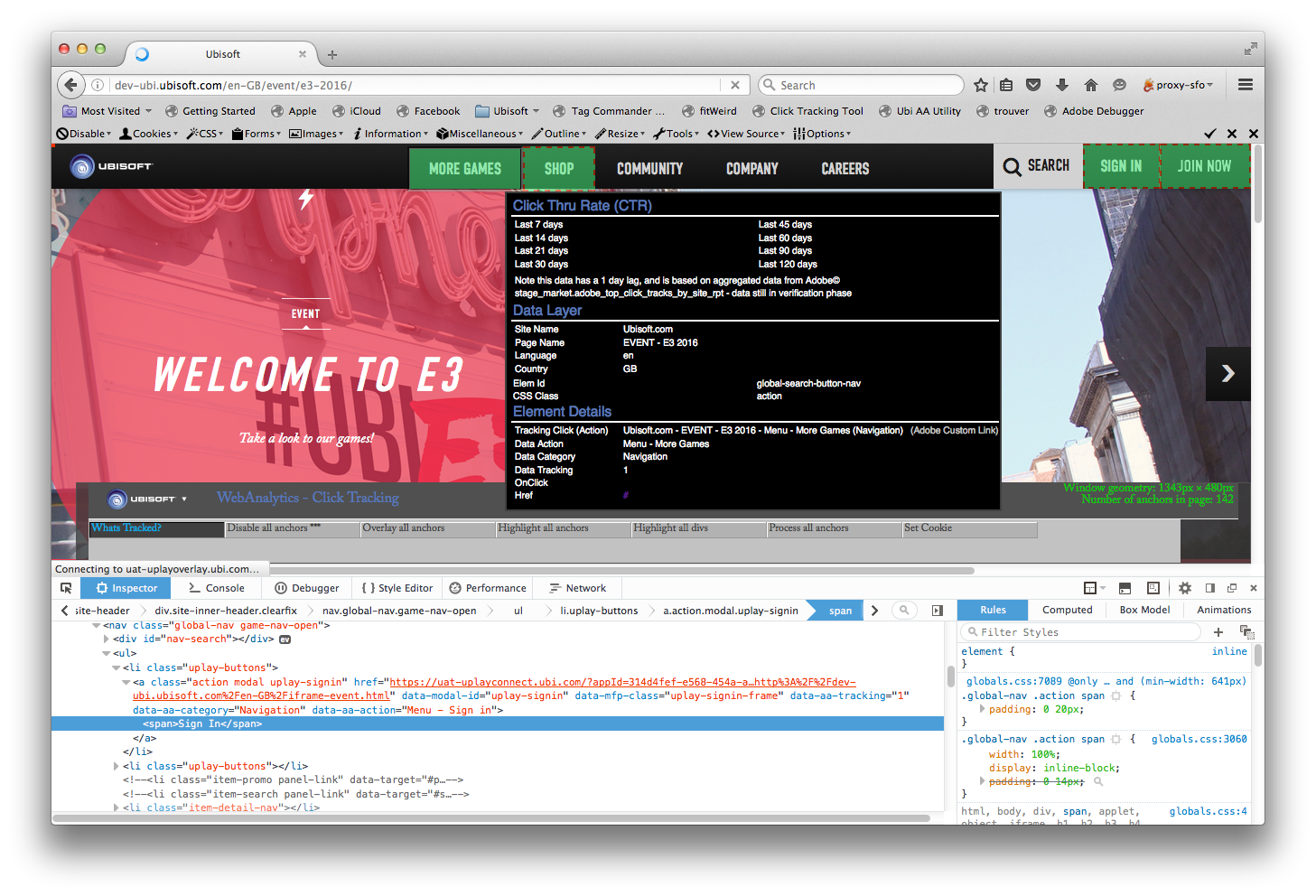
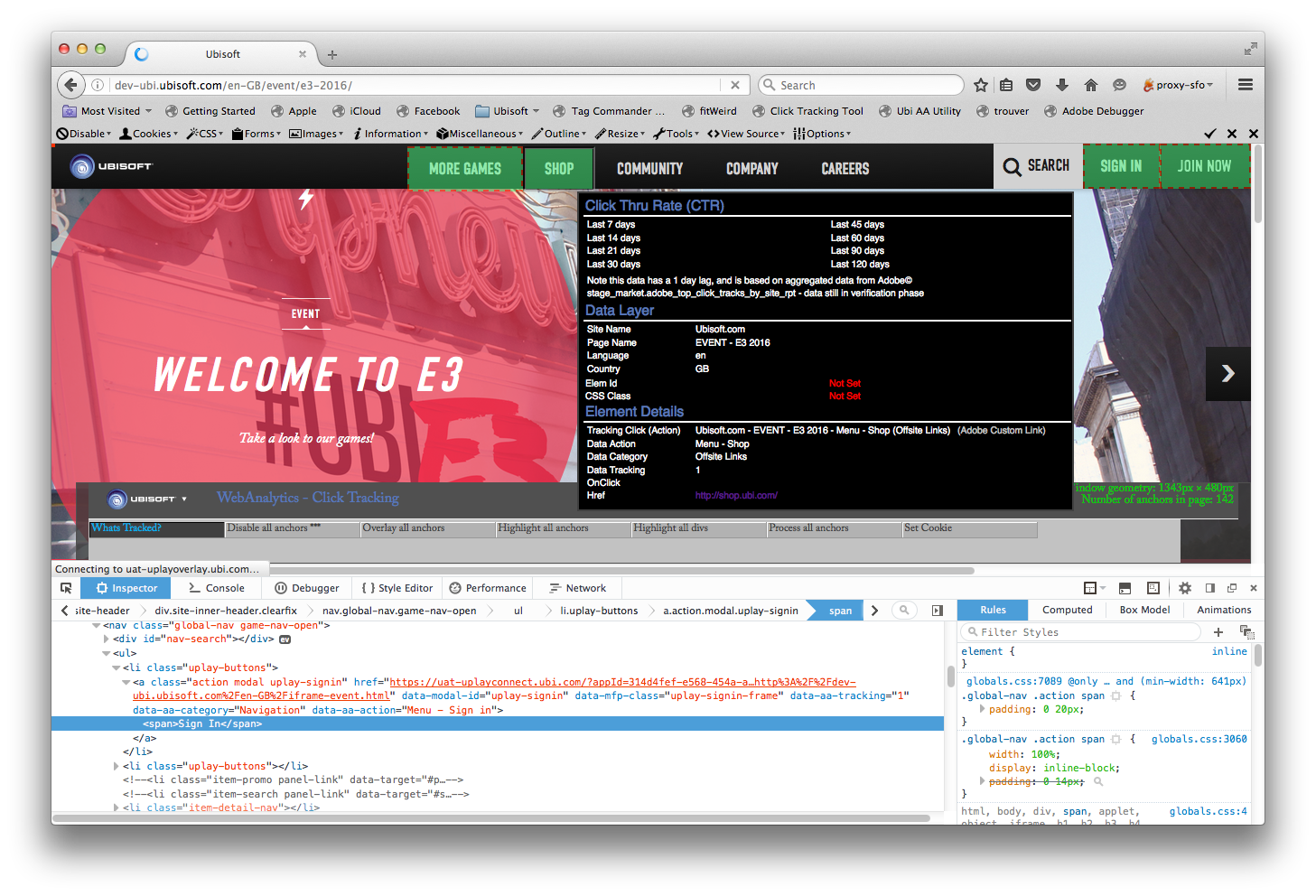
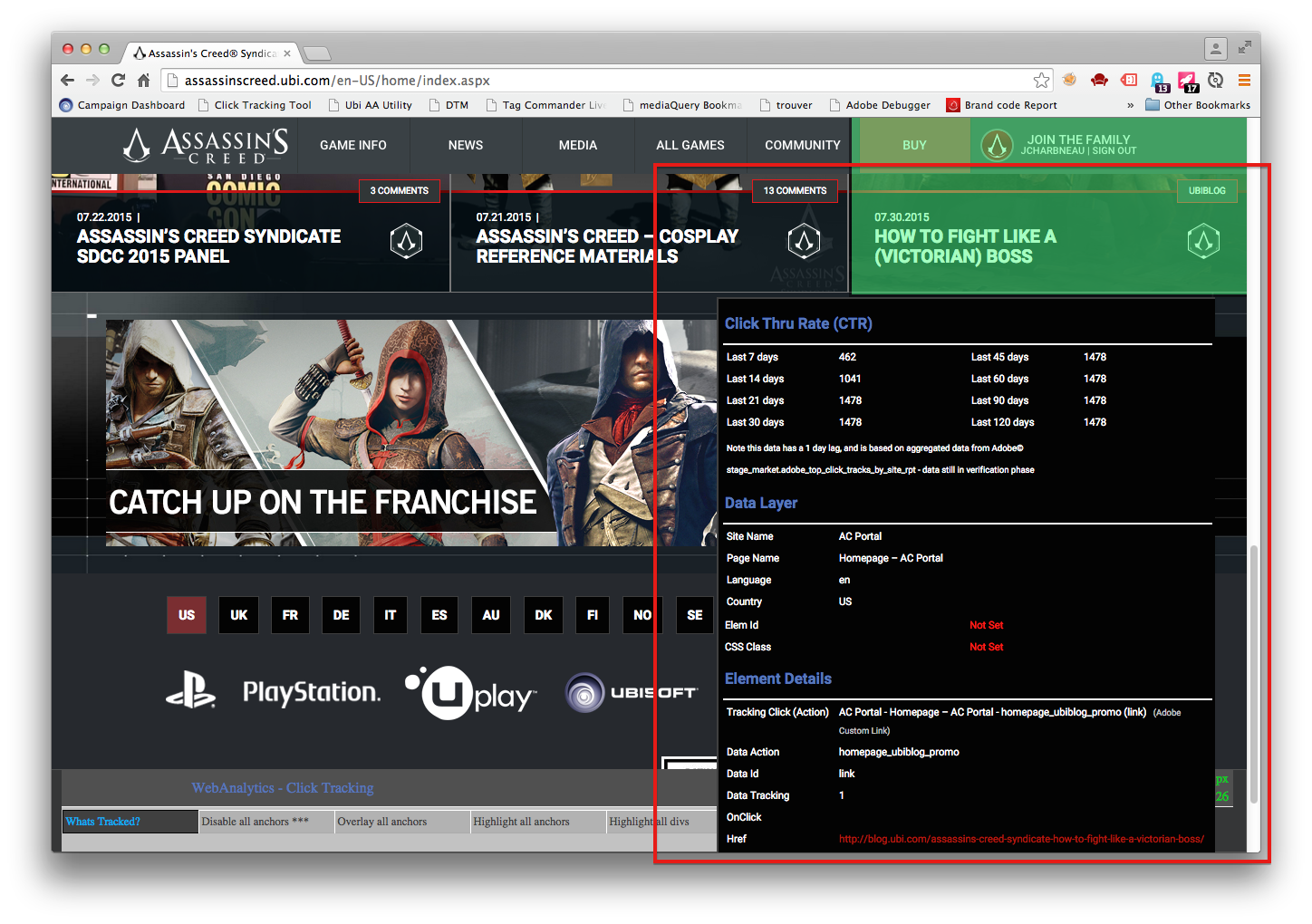
What’s Tracked browser utility
This tool was developed to help identify at a glance, items in the page that were/are being tracked






CTG
The initial concept and v1 for tracking of Marketing links
Downstairs Bathroom Remodel
In the spring of 2020; along with the lockdown from Covid, and a somewhat weird bubbling in our downstairs bathroom paint; we discovered a leak that had ruined the wall in our bathroom.
After getting the leak fixed, and with the thought that we would likely have to redo much of the bathroom anyway; we opted to have our local plumber come in and convert the bathroom from a 1/2 to 3/4.
We really can’t argue with the additional functionality this has allowed with our fairly small home. In the this new age of extended time at home; having a second full bathroom has been a great addition.




A Bible box for my father-in-law

We decided to get my father-in-law a new larger font Bible for Father’s Day. As we got closer to pulling the trigger, we had the thought to build a nice box for him to be able to keep the Bible in.

We started with a basic box with dovetails and a pinned lid. The woods we chose were Canarywood and Cherry for the carcass, trimmed with Paduuk. The lid is a glue up using a highly figured piece of Curly Maple, a thin piece of Paduuk and a nice piece of Cherry.

Next came the inlay. There’s a nice fellow here in the U.S. that makes some terrific solid wood inlay (www.inlaybanding.com). We chose a nice Holly and Ebony inlay that had some decorative crosses, along with some simple ebony stringing inlay. We also added another thin piece of Canarywood to match the face of the box.


We had some ideas on adding a little “pizzaz” to the inside of the lid, and started doing some test cuts and some drawings.

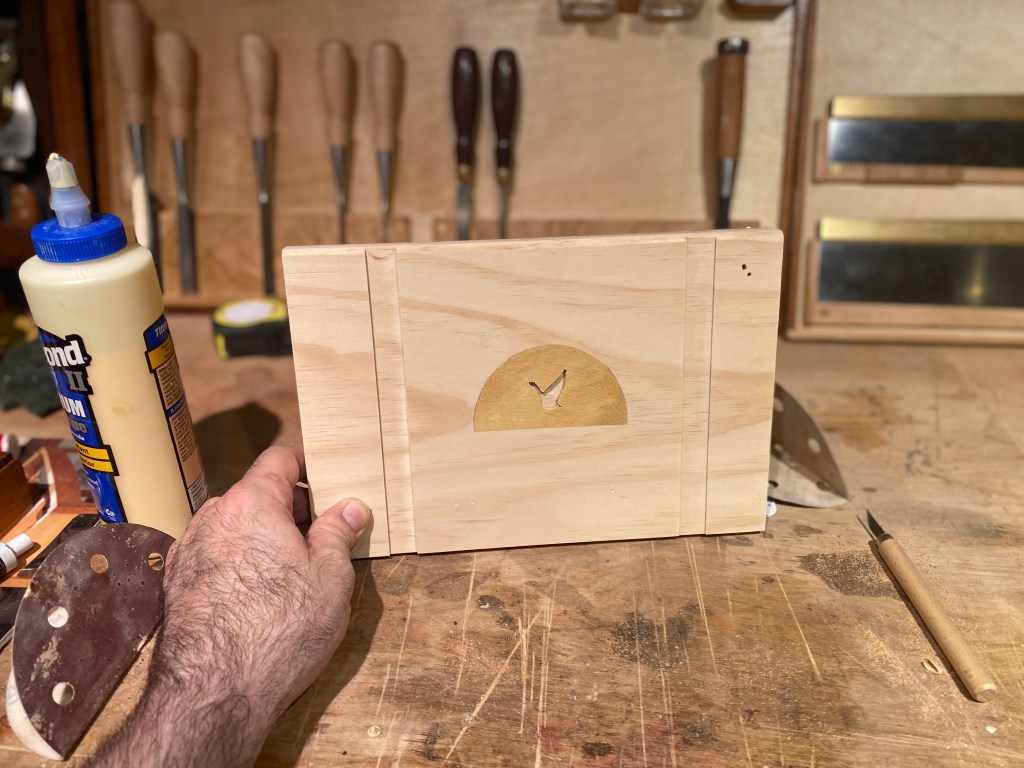

Next we started exploring the options a fretwork cross would allow, and started carving out each sun ray.

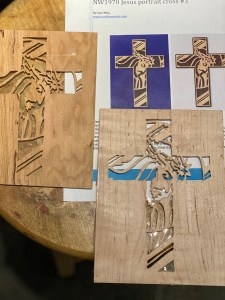



The next step was to add a bit of “Heirloom” to it, and we opted to go with getting the lid laser etched. Thanks to Tony over at Beran Laser Engraving & Woodworking.
A couple of mockups later, and we have a nicely engraved lid. The font we opted for was “Olde English” from 1001 Fonts. It was really interesting to see that laser etching in process. So much faster than hand carving 🙂



And now we’re closing in on done. We finished the box and lid using four coats of Danish Oil. We also added a nice velvet sash to wrap the Bible in, and a nice velvet wrapped pad for the bottom of the box.


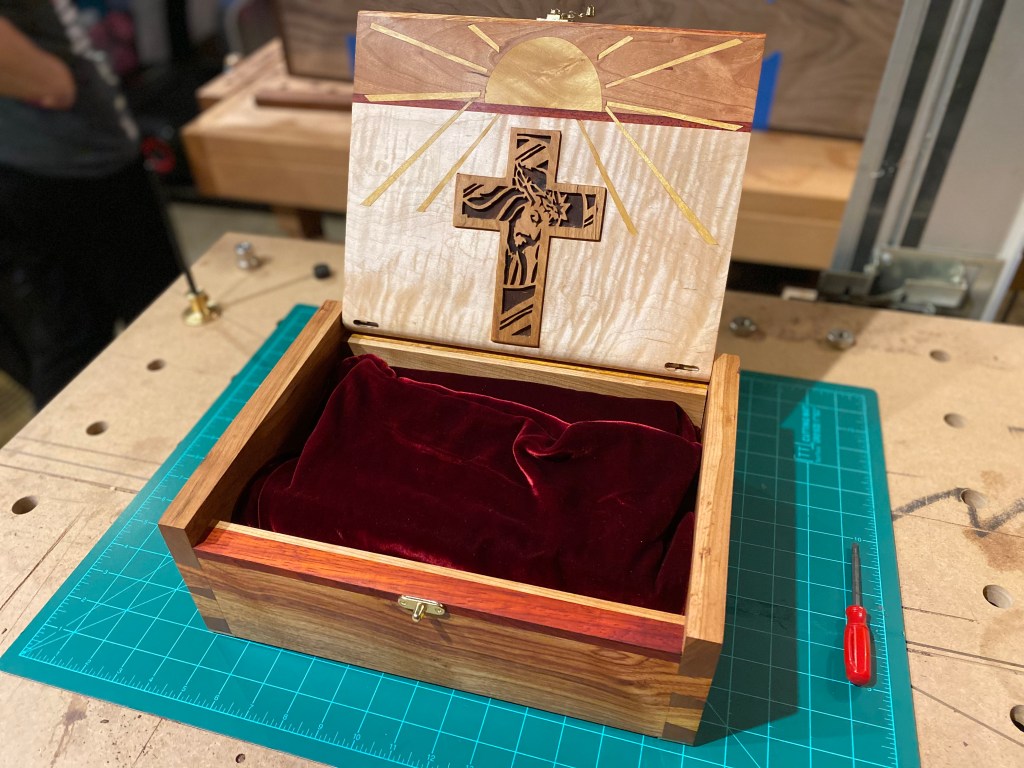


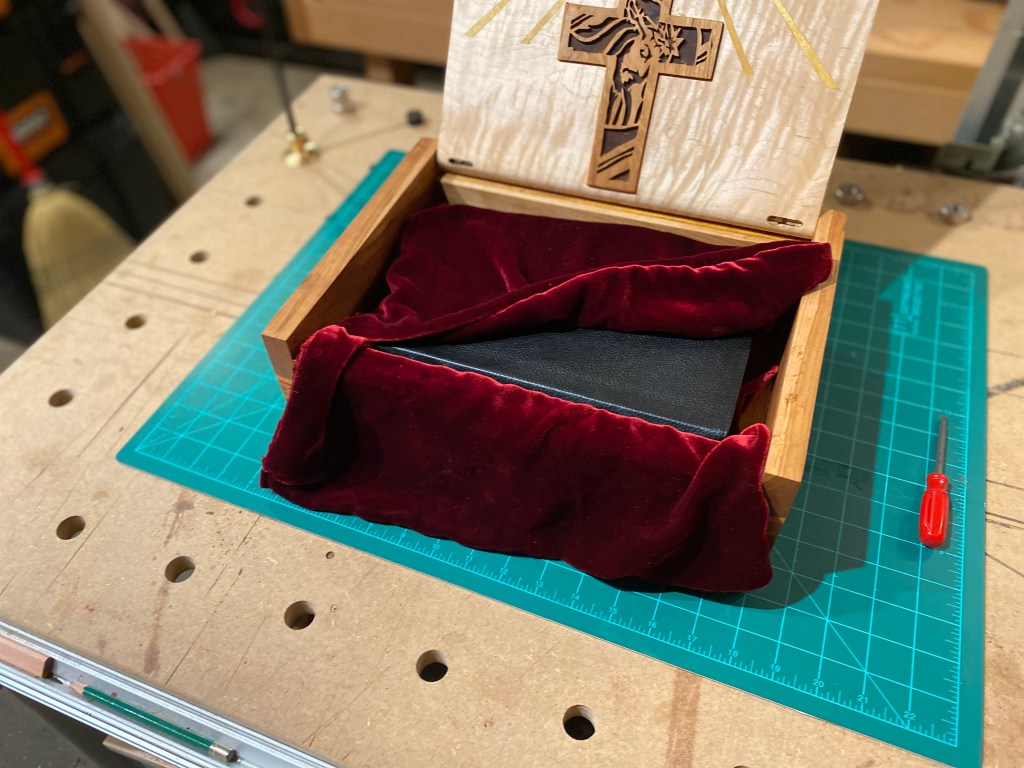
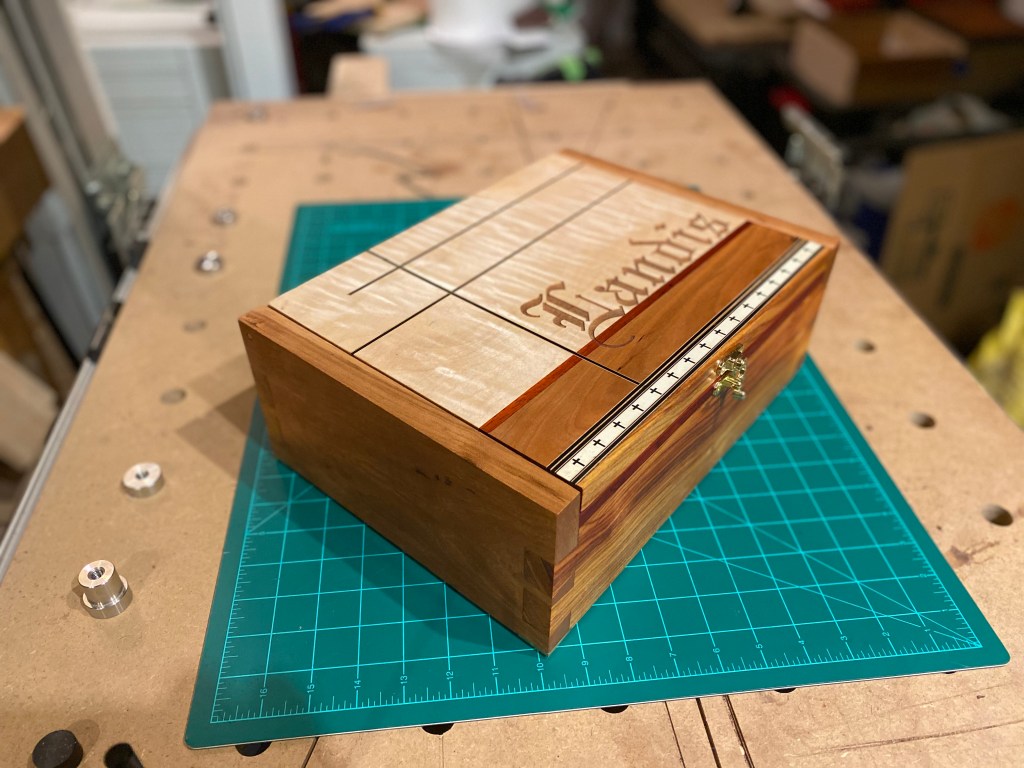
Father’s Day is just around the corner; and we’re done just in time. Happy Father’s Day Ted!
Hand plane organizer
I’ve been drooling over the plane rack shown in Lie-Nielsen’s showroom photos for quite a long while. With the covid-19 pandemic, finally have a little too much time on my hands; so put some effort into getting some of my tools organized. Started out more as a “lets prototype this to see how it will work”. Maybe one day I’ll build a proper LN version, but this does the trick for now 🙂

Went a little further with this idea, and modified it to be more “layered”. Also built two more boards, one for chisels and one for saws.


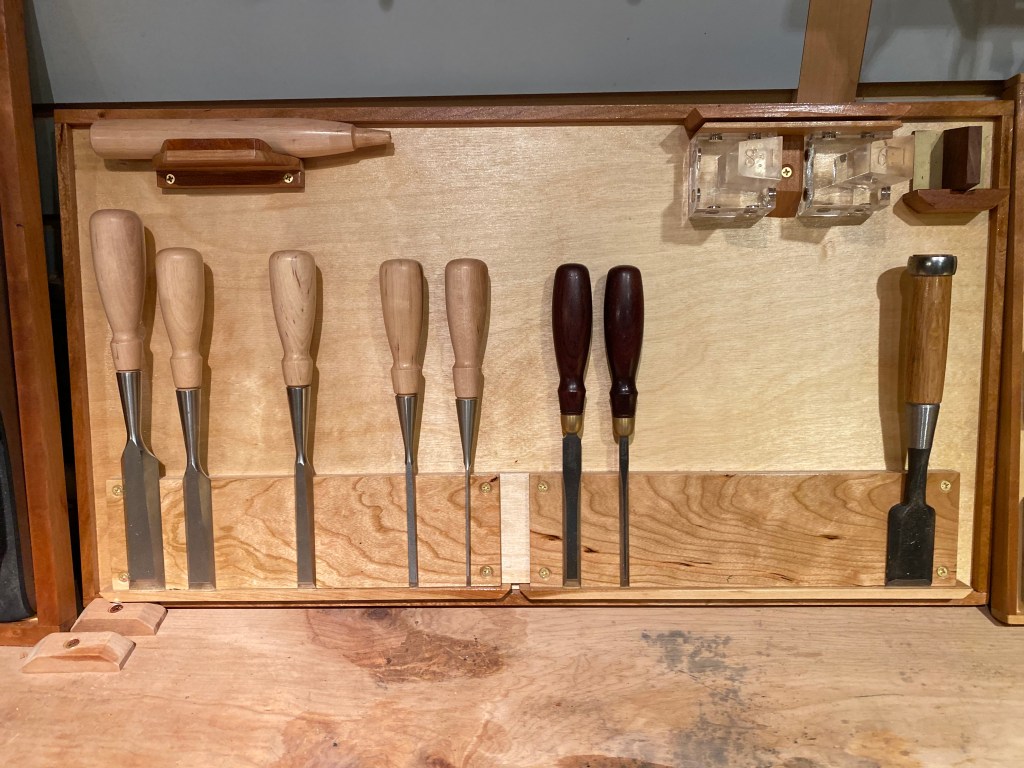

Hopefully, I’ll one day find the time to throw a few more organizational ideas together.
OpenSSH, sftp, groups and a jail
Recently, my boss came to me and wanted to update a very old Redhat 9 Sftp server. There was one little snag tho, the old server was using a jailed approach. Seeing as this server was quite old, and had a patched SSH binary installation to support the jailed configuration, I figured I was in for a hefty amount of work. I couldn’t have been more mistaken. The good folks over at OpenSSH have already implemented the ability to run ssh in a jailed configuration. The other gotcha was that we also wish to use shared keys, so one more thing, right ;-).
The relevant sshd_config directives are:
Match
ChrootDirectory
Subsystem
ForceCommand
These three are the only ones that really pertain directly to the jail scenario I was building towards. YMMV. If all else fails, the OpenSSH guys (and OpenBSD related projects in general) tend to have very good man pages. You can find the man pages for OpenSSH at http://www.openssh.org/manual.html.
So, we start out by unpacking and compiling SSH. This is really only if you want to maintain the installation separate from the default system. In our case, Suse was lagging substantially behind the formal project releases (SLES 10.x was/is using OpenSSH 4.x).
tar zxvf openssh-5.4p1.tar.gz
cd openssh-5.4p1
./configure –prefix=/opt/[your_dest_dir]
make
sudo make install
Once I completed the above steps, I had my new installation of OpenSSH ready. Now to configure everything and set up our jail. For this, I needed to build out the jail structure. I opted to go with /www/jail. As part of this, I also needed to have the ability for shared keys, so decided on /www/jail/.ssh as the directory for they keys to exist.
mkdir /www
mkdir /www/jail
mkdir /www/jail/.ssh
Next, I started out with a base sshd_config. This is per defaults that I have found to work over the years. Note that you should change [install_dir] to the directory structure you specified as the argument to –prefix. I modified the port so as not to conflict with the default installation residing at port 22 and also tuned the number of sessions allowed. Some other things that I modified included X-tunneling, permit user environment, dns resolving of remote clients, etc.
Port 2022
Protocol 2
ListenAddress 0.0.0.0
HostKey /[install_dir]/etc/ssh_host_rsa_key
HostKey /[install_dir]/etc/ssh_host_dsa_key
KeyRegenerationInterval 1h
ServerKeyBits 1024
SyslogFacility AUTH
LogLevel INFO
LoginGraceTime 2m
PermitRootLogin no
StrictModes yes
MaxAuthTries 3
MaxSessions 20
MaxStartups 20
PubkeyAuthentication yes
PasswordAuthentication yes
ChallengeResponseAuthentication no
X11Forwarding no
PrintMotd yes
PrintLastLog yes
TCPKeepAlive yes
UseLogin no
UsePrivilegeSeparation yes
PermitUserEnvironment no
UseDNS no
PidFile /[install_dir]/var/run/[pidname].pid
The next thing that is needed in the sshd_config file is to setup some specifics about our sftp server.
Banner /www/jail/sftp.banner
Subsystem sftp internal-sftp
AuthorizedKeysFile /www/jail/.ssh/%u
Note above that we have set the Subsystem to use ‘sftp internal-sftp’, versus ‘sftp /[install_dir]/libexec/sftp-server’ as is default in the sshd_config file. This is where the magic really happens. As per the man page:
             Alternately the name ``internal-sftp'' implements an in-process
             ``sftp'' server.  This may simplify configurations using
             ChrootDirectory to force a different filesystem root on clients.
Ok, so what does this mean? It means that instead of having to replicate all of our libraries, etc into a jail as has been historically necessary; we can specify internal-sftp and do not need to have the libraries/binaries inside the jail as the in-process sftp server will inherit the libraries already loaded/accessed by the parent sshd process. Simply stated, this makes it very easy to implement, and minimizes the amount of churn we’d typically have to go through.
Next, we save our file, and start our server up to test. Note we are issuing ‘-d’ to put the server into debug mode.
/opt/[install_dir]/sbin/sshd -d -f /opt/[install_dir]/etc/sshd_config
you should see some debug output ending with something like:
debug1: Bind to port 2022 on 0.0.0.0.
Server listening on 0.0.0.0 port 2022.
Hit CTRL+C to exit the server. Next we need to create a couple of groups and some users to place in the groups.
groupadd jailedgroup1
useradd -g jailedgroup1 -c “Jailed user #1” -d / -s `which false` username1
useraadd -g jailedgroup1 -c “Jailed user #2” -d / -s `which false` username2
groupadd jailedgroup2
useradd -g jailedgroup2 -c “Jailed User #1 Group 2” -d / -s `which false` username1g2
passwd username1
passwd username2
passwd username1g2
So lets review what we’ve done. We have a working ssh installation, and have created two groups (jailedgroup1 and jailedgroup2) , added two users to the first group and one user to the second group. For each of the users, we set their home directory to / (root). Normally, this may seem odd, but there is a method to the madness.
When a user logs into a jailed service, we want them to go to the root of that directory, instead of treeing things out as in [jaildir/home/username]. This is of course open to implementation so may work differently depending on the requirements. For me, I wanted my users to share the same ftp area, so this made the most sense. At this point, we know that we are going to jail users/groups under /www/jail, but have not decided on the exact directories for each group. For the purposes of this document, we’ll pick something fairly straight forward. Lets create two directories, named jailedgroup1 and jailedgroup2.
mkdir /www/jail/jailedgroup1
mkdir /www/jail/jailedgroup2
The next piece of this puzzle is to setup our group definitions in our sshd_config file. Lets open the file back up and add the following sections.
Match Group jailedgroup1
X11Forwarding no
AllowTcpForwarding no
ForceCommand internal-sftp
ChrootDirectory /www/jail/jailedgroup1
Match Group jailedgroup2
X11Forwarding no
AllowTcpForwarding no
ForceCommand internal-sftp
ChrootDirectory /www/jail/jailedgroup2
Save and exit the sshd_config file. We now want to perform a simple test. Lets start sshd as we did earlier.
/opt/[install_dir]/sbin/sshd -d -f /opt/[install_dir]/etc/sshd_config
We should once again have a working sshd server listening on port 2022. From another window on that server, execute the following.
sftp -o port=2022 username1@localhost
You should be prompted to accept the keys, choose yes here and enter the password for username1. Once logged in, execute a `pwd` to verify you are in the / (root) area of the “remote” server. You can then do a ls -l / to verify no files exist in the root.
In a third window, you can log in and create a directory structure, and re-run the ls to verify it shows up, etc (as in mkdir /www/jail/jailedgroup1/somedir). The nice part here is that if you set your group permissions of the jailed directory, then all of the users in jailedgroup1 will be able to update files in the same directory (chgroup jailedgroup1 /www/jail/jailedgroup1 && chmod 775 /www/jail/jailedgroup1).
Test with other users from the group to observe the behavior. Login as username1g2 to verify you show up in the other jailed directory. Note that each time you log out, your debug sshd service listening on port 2022 will exit. This is normal behavior. If you want to login with multiple users and verify the binary spawns out a new child process, execute the sshd command without the -d argument.
At this point, its just about wrapping everything up with a couple of scripts which I will leave as an exercise for the reader (hint: /etc/init.d/sshd already exists, why not use that as a base?).
The next phase for me is to implement shared keys. This is largely open depending on what the client is using to connect to the sftp server. In our case, I am putting the keys in /www/jail/.ssh/[username]. The only gotcha here is to make sure that the shared key file for that user is owned by that user. Testing in debug mode will go a long way in helping to determine any issues (key based logins included).
Hope someone else finds this useful.
 Designs By Jess